¶ Hardware and Software Requirements
RSX Engine is designed to provide powerful functionality and beautiful rendering that scales gracefully, at the lightest footprint possible.
| Requirement | Windows | MacOS |
|---|---|---|
| Operating System | Windows 10 or later | Sonoma or later |
| CPU | Quad-Core Intel or AMD, 2022 or later | M2 |
| CPU Memory | 16gb | 16gb |
| GPU | Discreet GPU, DirectX 12 compatible | M2 |
| GPU Memory | 4gb | Unified Memory |
| Internet | Broadband | Broadband |
Using these specs, you're guaranteed to get excellent performance whether you run natively, or on the web.
¶ Web or Native? What is better or preferred?
RSX Engine runs incredibly well, no matter whether natively or web. When developing RSX Engine, our philosophy is to run no-compromise on the web. This means that from version control and writing/compiling code, to rendering complex volumetric effects and importing FBX files - anything is possible in the web.
However, a key benefit is that there is no installation and minimal startup time. You can easily switch between versions, and have multiple tabs open, everything you love about working in a browser is possible. If something does not go as planned, you can just reload the tab, and you're back in an instant.
The limitation of running in the browser is that memory allocations must remain low. However, these strict requirements force the development team to be ultra accurate and careful about how memory is managed, which results in stellar performance even on resource limited computers.
The performance of running on the web is nothing short of mind-blowing. From our experience, users are hesitant to try it - but once experienced, most users prefer to work in the browser. It's a bliss.
¶ Installing RSX Engine
First, head to https://www.rsxengine.com and sign up for a free account. The free plan comes with everything you need to build and ship small applications. As you become more confident, you can seamlessly upgrade to a paid plan.
¶ Launching the first time, on the Web
Running the RSX Engine Editor on the web requires a browser that is compatible with WebGPU.
¶ Compatible browsers
The following browsers are certified to run the RSX Engine and the RSX Engine Editor with great performance.
- Google Chrome version 127 on Windows, MacOS or Linux.
- Microsoft Edge version 127 on Windows
¶ Incompatible browsers and future compatibility
All major browser vendors are currently working on adding WebGPU support to their browser, which is required to run RSX Engine and the RSX Engine Editor. The following browsers are confirmed to be currently working on their WebGPU implementation.
- Apple Safari on MacOS.
- Limitations of Safari's WebGPU implementation: Weak performance and OS instability
- Mozilla FireFox on Windows, MacOS or Linux.
- Limitations of Firefox's WebGPU implementation: Weak performance and instability
¶ Starting RSX Engine for Web
TLDR; Just make sure that you have a recent version of Chrome installed.
To start RSX Engine for Web simply open the following link:
¶ Installing RSX Engine on the Desktop
Running the RSX Engine Editor on your desktop is almost as easy as running on the web. However, you will need to manually update new versions and changing between versions requires manual reinstallation.
¶ Downloading RSX Engine for Desktop
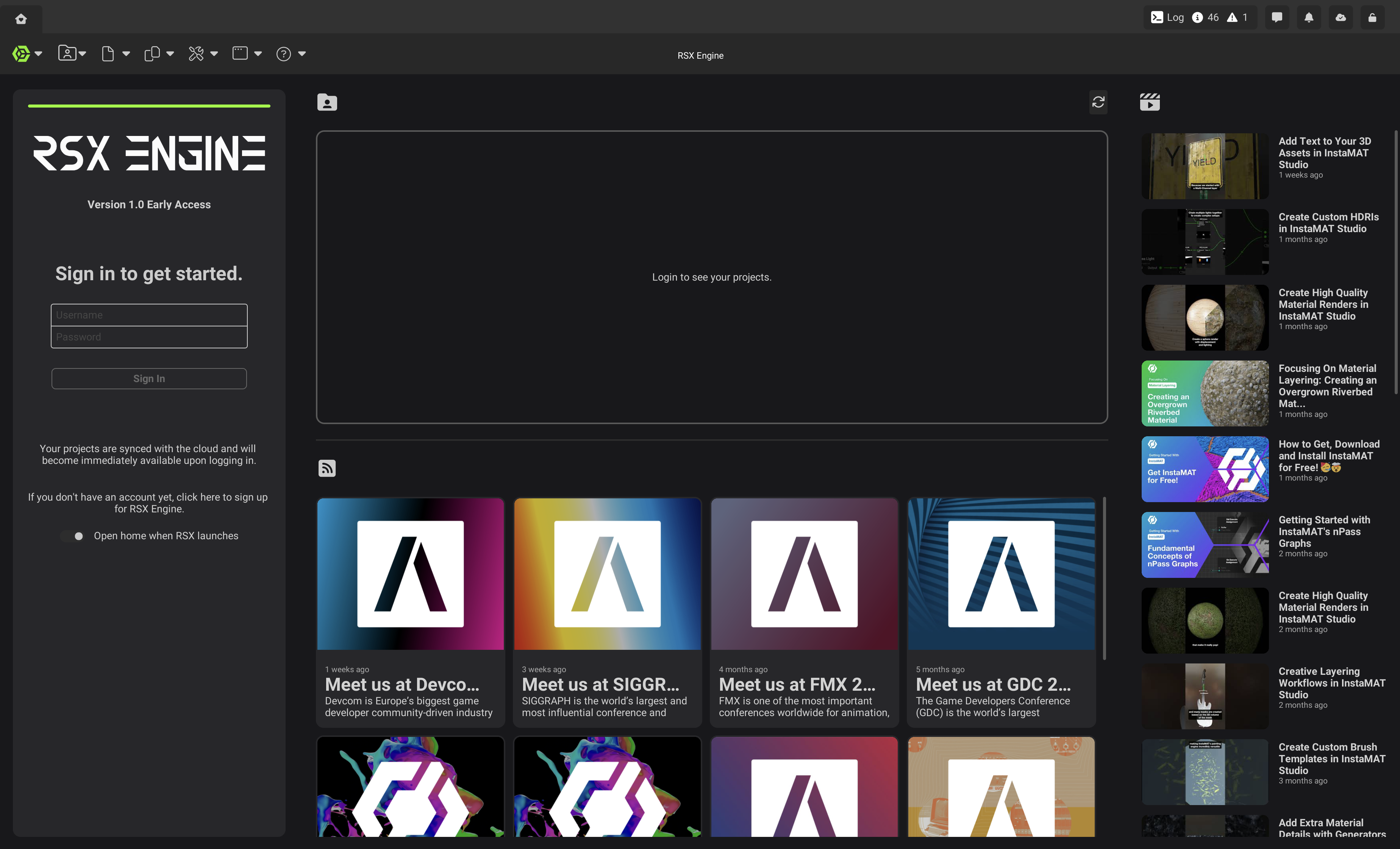
To download RSX Engine for Desktop, log into the web build as outlined above and click "Download Desktop App" when you're presented with the home screen of RSX. Once the file has been downloaded, run the installer to install the downloaded version of RSX Engine.
¶ Updating RSX Engine for Desktop
If a new version of RSX Engine is available, you will see a notification bubble appear on the homescreen. Click the bubble to download the latest version and run the installer, similarly to the initial installation.
¶ Next Steps
Now that you've set up your RSX Engine Editor. It's time to log in and create your first project. Click the link below to continue your journey.